



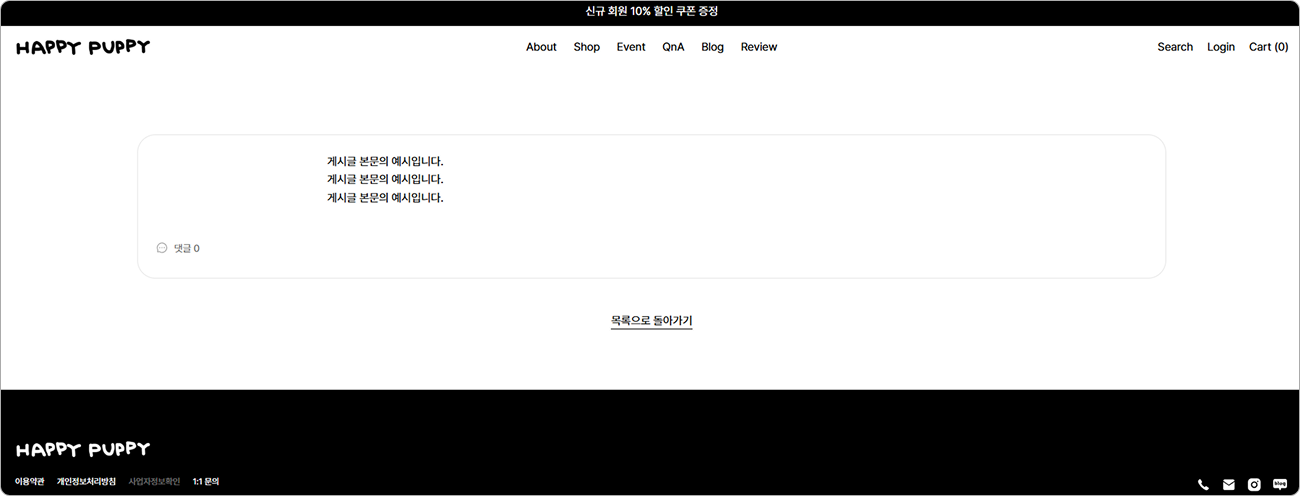
HTML 소스코드를 활용하면 게시글의 게시판 이름, 게시글 제목, 작성자, 작성일 항목을 제거하고 깔끔하게 본문만 보여 줄 수 있어요.
 디자인 에디터 상단의 페이지를 선택 후, [게시판 > 게시글]을 클릭해 주세요.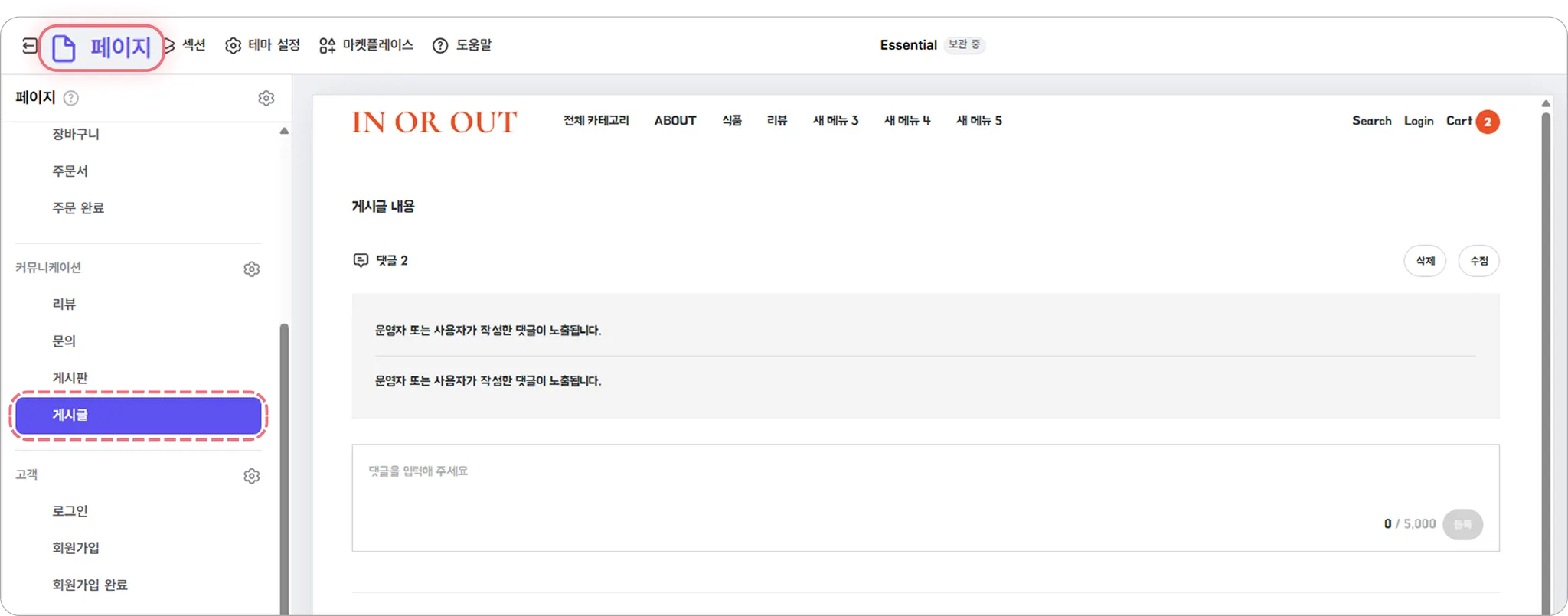
 본문 영역의 오른쪽 섹션 추가 아이콘(+)을 클릭하고, 기본 요소 중 HTML 블록을 선택해 주세요.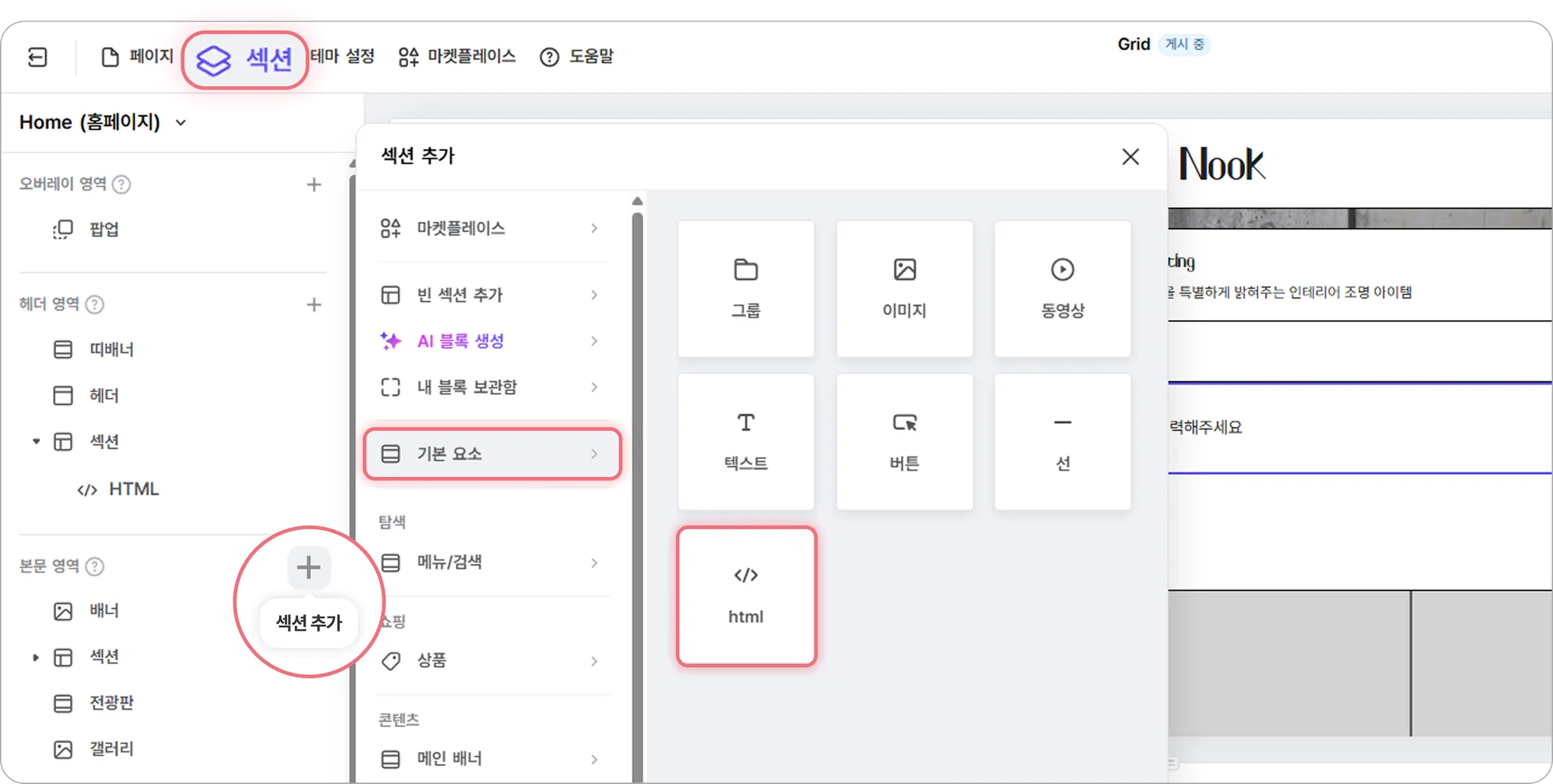
 HTML 블록을 [공통] 유형으로 설정 후, 아래 HTML 소스 코드를 입력해 주세요. 오른쪽 상단의 [사이트 게시]를 클릭하면 사이트에 적용됩니다.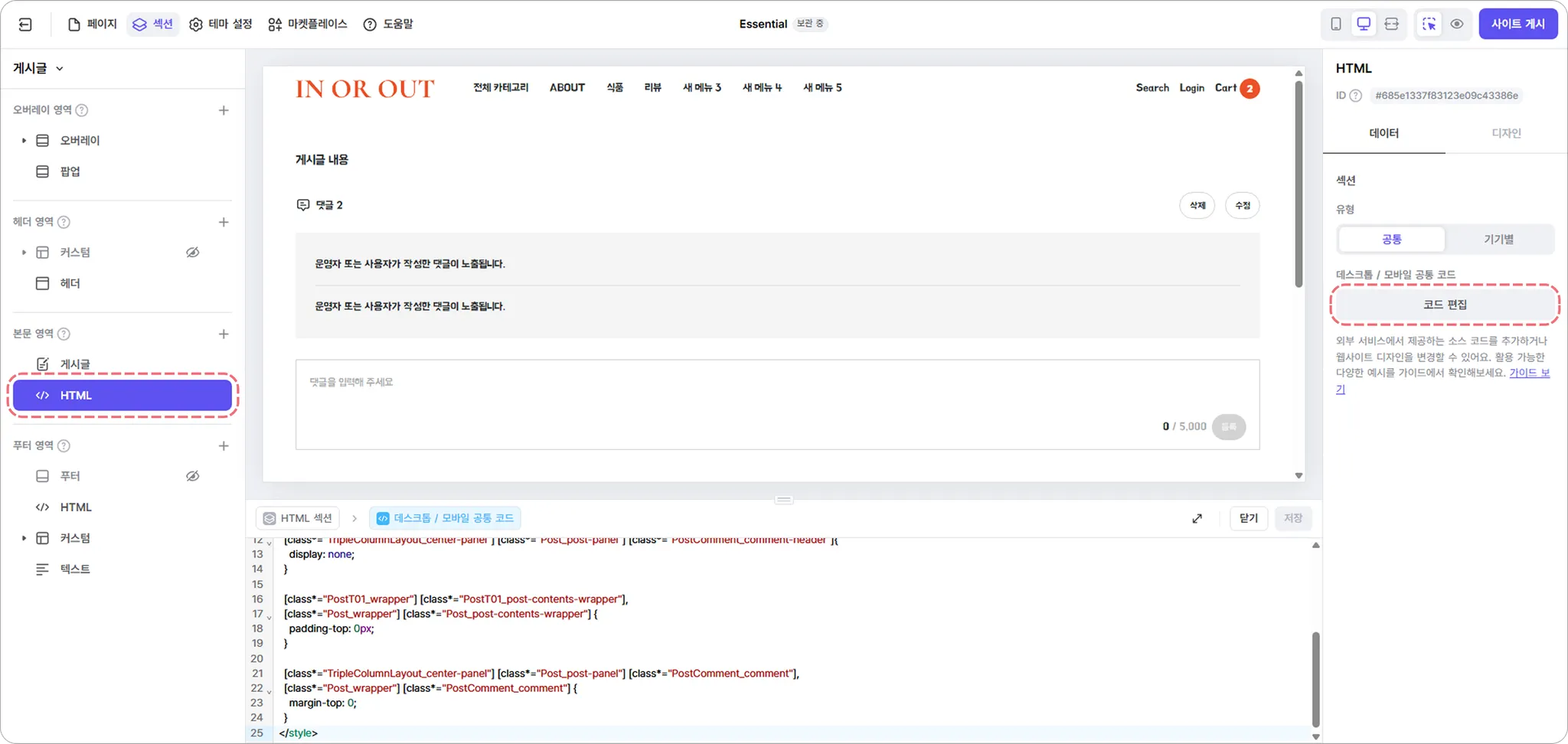
게시판 이름, 게시글 제목, 작성자, 작성일 제거 코드
<style>
[class*="PostT01_wrapper"] h2,
[class*="PostT01_wrapper"] [class*="PostT01_post-header"],
[class*="PostT01_wrapper"] [class*="PostT01_post-header"] + [class*="Divider_divider"],
[class*="PostT01_wrapper"] [class*="Comment_comment-header"],
[class*="Post_wrapper"] h2,
[class*="Post_wrapper"] [class*="Post_post-header"],
[class*="Post_wrapper"] [class*="AuthorDateTime_wrapper"],
[class*="Post_wrapper"] [class*="Divider_divider"],
[class*="TripleColumnLayout_left-panel"] h2,
[class*="TripleColumnLayout_center-panel"] [class*="Post_post-panel"] [class*="Post_title-panel"],
[class*="TripleColumnLayout_center-panel"] [class*="Post_post-panel"] [class*="PostComment_comment-header"]{
display: none;
}
[class*="PostT01_wrapper"] [class*="PostT01_post-contents-wrapper"],
[class*="Post_wrapper"] [class*="Post_post-contents-wrapper"] {
padding-top: 0px;
}
[class*="TripleColumnLayout_center-panel"] [class*="Post_post-panel"] [class*="PostComment_comment"],
[class*="Post_wrapper"] [class*="PostComment_comment"] {
margin-top: 0;
}
</style>
Java
복사
 HTML 블록 안내서로 돌아가기
 식스샵 프로 가이드로 돌아가기