



장바구니, 리뷰, 문의, 마이페이지 등 기본으로 제공되는 페이지의 이름을 아래 코드를 활용해 원하는 문구로 변경할 수 있어요.
아래의 HTML 소스코드를 테마 설정의 커스텀 코드 <body> 코드에 입력하고, 페이지 이름을 변경해 주세요.
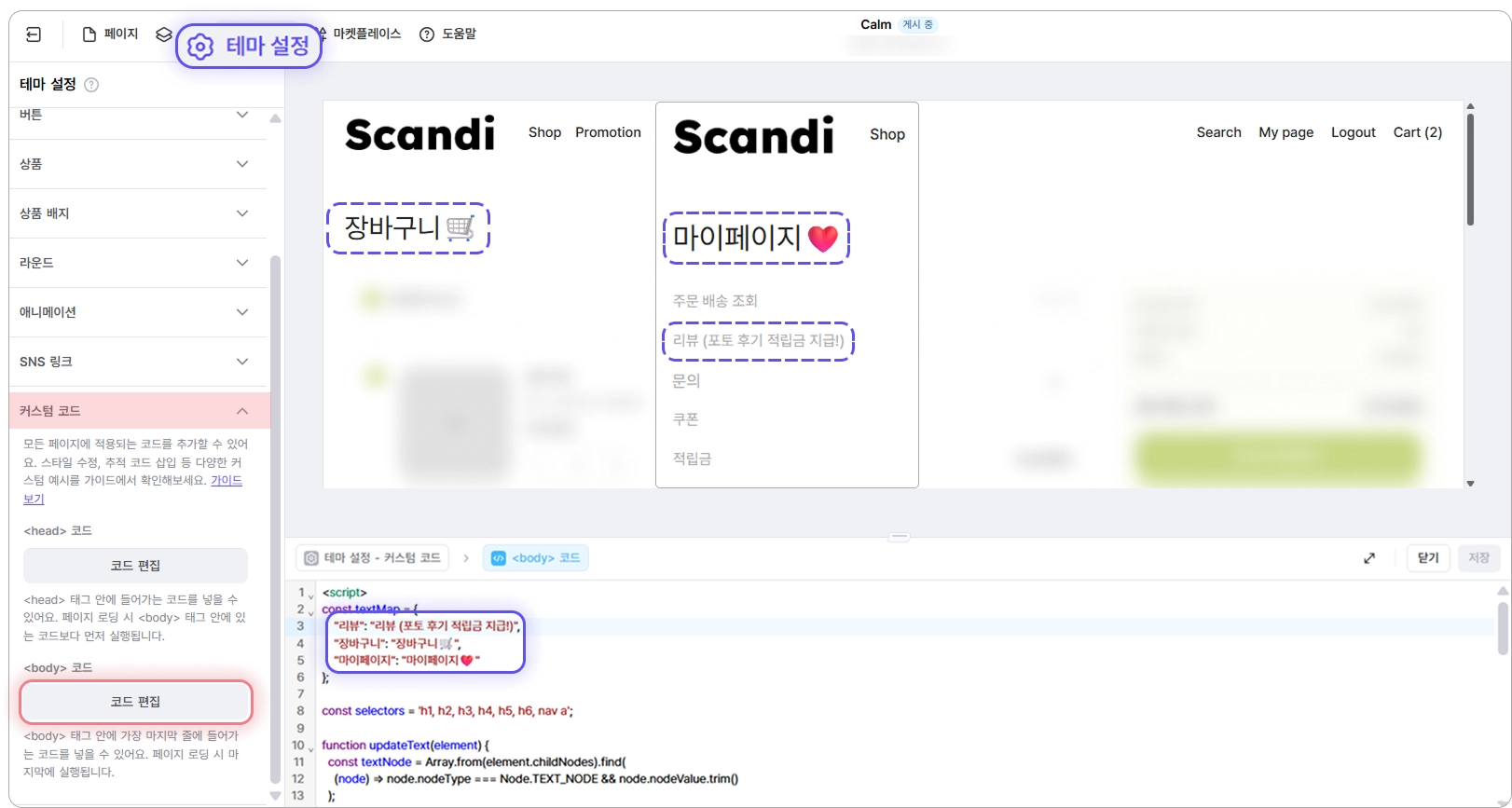
<script>
const textMap = {
"리뷰": "리뷰 커스텀 제목",
"문의": "문의 커스텀 제목",
"장바구니": "장바구니 커스텀 제목",
"위시리스트": "위시리스트 커스텀 제목",
"마이페이지": "마이페이지 커스텀 제목"
};
const selectors = 'h1, h2, h3, h4, h5, h6, nav a';
function updateText(element) {
const textNode = Array.from(element.childNodes).find(
(node) => node.nodeType === Node.TEXT_NODE && node.nodeValue.trim()
);
if (!textNode) return;
const currentText = textNode.nodeValue.trim();
const matchedKey = Object.keys(textMap).find((key) => currentText.includes(key));
if (!matchedKey || currentText.includes(textMap[matchedKey])) return;
textNode.nodeValue = textNode.nodeValue.replaceAll(matchedKey, textMap[matchedKey]);
}
document.querySelectorAll(selectors).forEach(updateText);
const observer = new MutationObserver((mutations) => {
mutations.forEach((mutation) => {
if (mutation.type === 'characterData') {
const el = mutation.target.parentElement;
if (el && el.matches(selectors)) updateText(el);
return;
}
mutation.addedNodes.forEach((node) => {
if (node.nodeType === 1) {
if (node.matches(selectors)) updateText(node);
node.querySelectorAll(selectors).forEach(updateText);
}
});
});
});
observer.observe(document.body, {
childList: true,
subtree: true,
characterData: true,
});
</script>
JavaScript
복사
위 코드를 활용하면 리뷰, 문의, 장바구니, 위시리스트 외의 페이지의 이름(h1~h6, nav a)을 원하는 문구로 변경할 수 있어요.
예시) 게시판 페이지
“게시판 이름”:”게시판 이름 커스텀 제목”,
JavaScript
복사
 HTML 블록 안내서로 돌아가기
 식스샵 프로 가이드로 돌아가기